The short answer
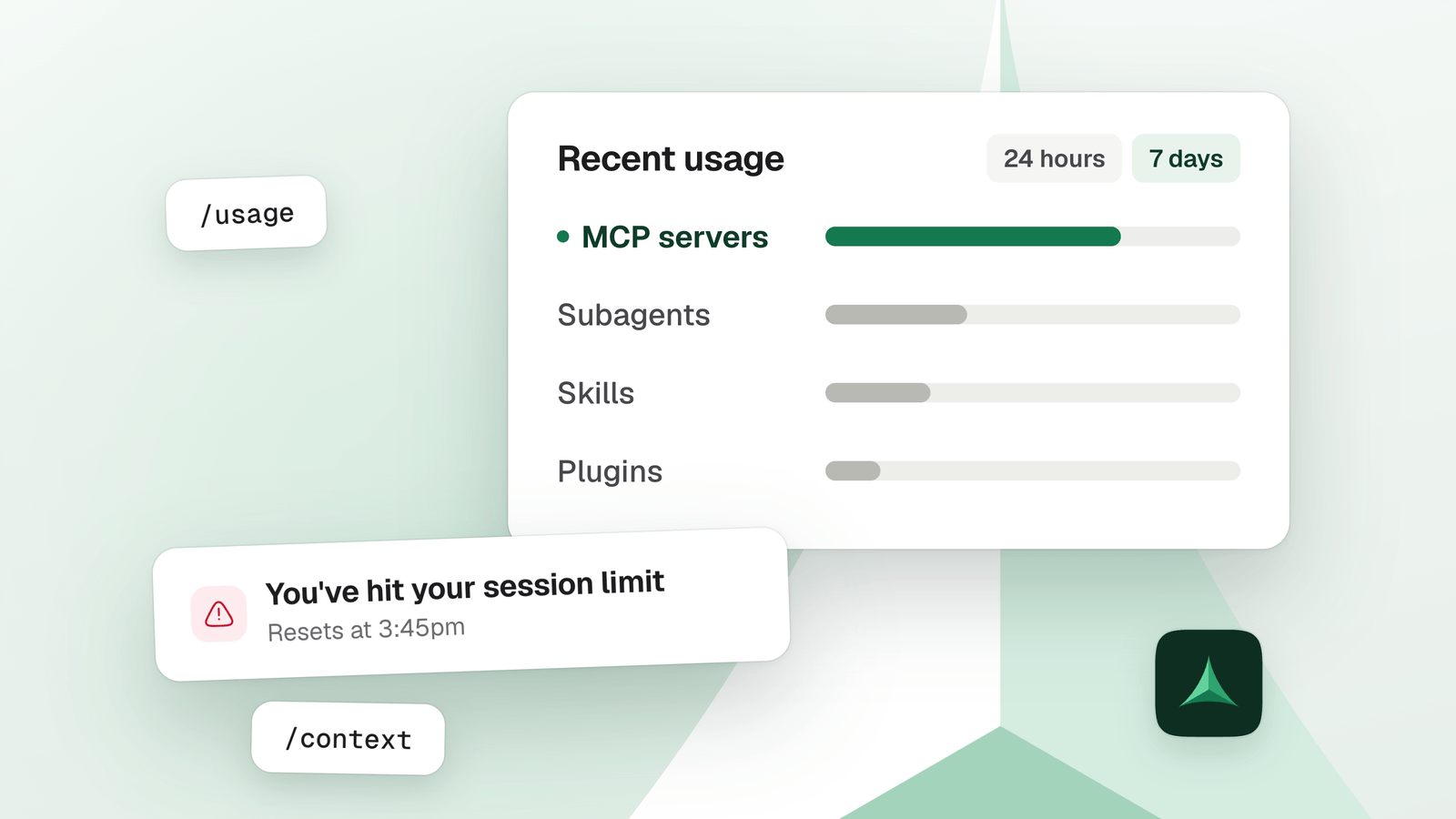
Check before you blame MCP. Claude Code’s /usage shows what share of your recent plan usage went to each MCP server. If that share is small, long sessions and your choice of model cost you more. If it is big, disconnect the servers you don’t use, then cut the number of calls.
In this guide
Which limit did you hit?
Claude Code names the limit in its message, and what you can do depends on which one it is. On a subscription, usage is counted in a rolling five-hour session and in a weekly window, and both count at the same time.
| You see | What it means | What gets you moving |
|---|---|---|
You've hit your session limit / You've hit your weekly limit | A rolling allowance shared by all models. Switching model does not bring it back. | Wait for the reset time in the message, or add usage credits with /usage-credits. |
You've hit your Opus limit / You've hit your Sonnet limit | A limit for that model family only. | Switch to a model outside the family with /model and keep working. |
You've hit your monthly spend limit | Your usage credits reached a spend limit. Versions of the message exist for an individual, an organization and a team. | Raise the limit under Settings, Usage on claude.ai, or ask your admin. |
You don’t have to watch the clock. Signed in with a subscription, Claude Code shows this line and carries on after the reset:
Continuing automatically at 3:45pm · esc to cancel
That needs version 2.1.234 or later, and it is on by default.
One more thing from the documentation: a single burst of heavy activity, such as a large workflow fanout, can use up the weekly allowance before the session window has reset.
How do you see what your MCP servers cost?
Three commands in Claude Code answer it. Start with the first.
/usageon a subscription, shows your plan limits and breaks recent usage down by skill, subagent, plugin and individual MCP server, as percentages. Press d for the last 24 hours or w for the last 7 days./contextshows what fills your context window right now, MCP tool definitions included./mcplists your servers and lets you switch off the ones you don’t use.
Read the numbers with these limits in mind
- The figures are approximate and come from this machine’s session history. Usage from your other devices or from claude.ai is not in them.
- A server’s share counts only the requests that used one of its tool results. The cost of carrying its tool list is not in that share: look for it in
/context. /usagealso flags behaviors that account for 10% or more of your recent usage, such as long context or cache misses, each with a tip.
Then read the MCP line
What usually costs more than MCP?
Claude Code sends your whole conversation with every request. So most of the weight is how long that conversation is, how often it restarts cold, and which model reads it.
-
A long session
Every request re-reads the whole conversation. A one-line question in a session that has been open all day still draws usage for all of it.
Do this
/clearwhen you switch to unrelated work. It costs nothing. -
A cold cache
Your first message after a break longer than the cache lifetime reprocesses your full context. The lifetime is an hour on a subscription, and five minutes once you draw on usage credits.
Do thisDon’t leave a huge session idle and come back to it. On Pro and Max, when you resume a large session, Claude Code offers to resume from a summary.
-
The model
Opus costs several times more per turn than Sonnet, and Sonnet more than Haiku. Extended thinking adds tokens too.
Do this
/modelfor Sonnet on most coding, and/effortto lower the thinking on simple tasks. -
Work you forgot
A scheduled task fires on its interval even while the session is idle. Each subagent sends its own requests on top of yours, and agent teams use about 7 times more tokens than a standard session when teammates run in plan mode.
Do thisCheck the loops and subagents in
/usage, and stop what you no longer need.
What should you cut first, in order?
If /usage shows MCP as a big slice, work down this list. Each step takes more effort than the one before.
- Disconnect the servers you don’t use2 minutes
Run
/mcpand switch off what you didn’t touch this week. Claude Code’s own cost guide gives the same advice. You lose those tools until you switch them back on. - Check that Tool Search is onOne check
Claude Code defers MCP tool definitions by default, so only tool names and server instructions enter your context until a tool is used. It is off with a custom
ANTHROPIC_BASE_URL, withENABLE_TOOL_SEARCH=false, and on models older than the Claude 4.5 generation on Google Cloud’s Agent Platform. - Use a CLI where a good one existsWhere one exists
gh,aws,gcloudandsentry-cliadd no per-tool listing, and the cost guide calls them more context-efficient than MCP servers. The catch: many services have an MCP server and no CLI. - Watch the big resultsAs you go
Claude Code warns when one MCP tool returns more than 10,000 tokens, and caps a result at 25,000 by default. Whatever comes back becomes part of the conversation, which Claude Code re-reads with every later request. Ask for fewer fields or a smaller page.
- Cut the number of calls2 minutes to install
What is left is the number of requests. Each tool call is another one, carrying the whole conversation, and only writing the task as one program removes them. That is what Delta MCP does.
What if MCP is still a big slice?
Then the calls are the cost. Each tool call is another request, so a task with ten steps is ten requests, each carrying the whole conversation. Tool Search does not change that.
Delta MCP is a free app that sits between Claude Code and your MCP servers. Your AI writes each task as one program instead of one tool call per step, and Delta MCP checks it, applies it all or nothing and keeps it in Activity, ready to undo. We measured it on Claude Code with Tool Search on:
Sonnet 5.5, two to three runs per variant, the end result checked in each service.
| Task | Tokens | Model calls | Measured |
|---|---|---|---|
| Fix a release, as codeCerberus, 152 tools | 13.4× fewer | 26 → 6.5 | 5 October |
| Clean up 20 late ticketsA ticket manager | 4.8× fewer | 5 → 2 | 2 October |
| Log in, add 3 contacts, list themMicrosoft Playwright MCP | 3.9× fewer | 12.6 → 4 | 2 October |
All measurements and the method
Questions
Why did I hit my Claude Code limit so fast?
Usually the conversation, not one tool. Claude Code sends your whole conversation with every request, so a long session, a cold cache after a break, an expensive model, or forgotten scheduled tasks and subagents add up. Run /usage: it flags any behavior at 10% or more of your recent usage.
Does switching model fix “You've hit your session limit”?
No. The session and weekly limits are shared across all models. Only the Opus and Sonnet limits are per model family: after one of those, /model to a model outside the family keeps you working.
Do MCP servers count against my Claude Code limit?
Yes. Their tool definitions (deferred by default), every call and every result are part of the requests Claude Code sends, and every request counts. /usage shows each server’s share. On Pro and Max, the limits are shared across Claude and Claude Code, so chat uses the same allowance.
When does my Claude Code limit reset, and does it continue by itself?
The message shows the reset time. On a subscription two windows run at once: a rolling five-hour session and a weekly one. In an interactive session, since version 2.1.234, Claude Code waits and continues the interrupted task after the reset. It is on by default, and Esc cancels it. /usage-credits lets you keep going right away.
Which MCP server uses the most?
Run /usage and press w for the last 7 days: each server has a percentage. The figures are approximate and come from this machine only. /context shows what each server’s tools take in your window.
Does Delta MCP raise or fix my limit?
No. The limit is Anthropic’s. What Delta MCP changes is how many requests a multi-step task makes: 3.3–24.1× fewer tokens in our tests.
Sources
- Claude Code, Manage costs effectively (documentation) The /usage breakdown by MCP server and its 10% flags; why usage climbs in a long session; cache lifetime; model choice; MCP overhead; agent teams.
- Claude Code, Error reference (documentation) The session, weekly, Opus, Sonnet and spend limit messages, and which limits are shared across models.
- Claude Code, Interactive mode (documentation) Waiting for a usage limit to reset, and continuing automatically (version 2.1.234).
- Claude Code, Connect Claude Code to tools via MCP (documentation) Tool Search on by default and when it is off; the 10,000-token warning and the 25,000-token default cap on a tool result.
- Claude Help Center, Models, usage, and limits in Claude Code Opus costs several times more per turn than Sonnet, and Sonnet more than Haiku; every previous message is resent on every turn.
- Claude Help Center, Use Claude Code with your Pro or Max plan Usage limits are shared across Claude and Claude Code.
- Claude Help Center, Usage limit best practices The five-hour session limit and the weekly limit on paid plans.
- Delta MCP, Benchmarks Every measurement of Delta MCP on this page, with its method.
Keep reading
- How to reduce MCP token usage, and why MCP burns tokensHow to reduce MCP token usage: measure it with /context, see the two costs (tool menu and round trips), and compare every fix, Tool Search included.
- MCP config file locations: Claude, Cursor, VS Code and moreWhere Claude Desktop, Claude Code, Cursor, VS Code, Windsurf, Gemini CLI and Codex keep their MCP config: file path, JSON key, remote servers and tool limits.
- MCP vs CLI for AI agents: where the token bill comes fromMCP or CLI for your AI agent? What each costs in tokens, what the measurements show, when a CLI wins, when MCP does, and where code beats both.